

Document capture powered by AI: Synappx™ Cloud Capture
Transform the way your business manages documents
Enquire nowWhat is Synappx Cloud Capture?
Managing documents shouldn’t slow your business down. Synappx™ Cloud Capture is Sharp’s next generation cloud document management tool and part of the Sharp Services Platform. It helps automate business processes and manage documents smartly.
Powered by AI automation, Synappx Cloud Capture changes unstructured paper and digital files into organised, searchable, processable business data. This reduces manual data entry and costs. It allows managers to speed up workflows, enables an automated invoice processing cloud service and more.
Synappx Cloud Capture is completely flexible processing almost any type of business document. These include invoices, contracts, HR forms, customer records, and purchase orders. It also handles delivery notes, expense reports, timesheets, compliance certificates, service agreements, sales orders, handwriting and more.
Synappx Cloud Capture makes your document workflows easier and more secure. The ideal AI-automated document processing cloud service for businesses looking to streamline operations and improve productivity through digital transformation.

Why Synappx Cloud Capture?
Modern businesses face growing volumes of information. Manual repetitive data-entry and classification processes are slow, error-prone, and expensive. Synappx™ Cloud Capture solves these challenges with AI-powered document digitisation and intelligent document processing, offering:
- Efficiency - Automate repetitive tasks like data entry automation, classification, and routing
- Accuracy - Improve data quality with industry leading optical character recognition (OCR), metadata extraction software, and validation tools
- Security & Compliance - Keep documents secure, searchable, and audit-ready
- Cost Savings - Reduce administrative overhead, storage and printing
- Productivity - Free employees to focus on higher-value work
- Integration - Seamlessly route data to workflow automation tools like ERP, CRM, HR, accounting systems and more
- Scalable – Manage growing document volumes without increasing staff
- Sustainable - Enable paperless document processing and reduce consumables usage

How does Synappx Cloud Capture work?
Synappx Cloud Capture is designed for simplicity and flexibility to support your document automation.
Capture documents from multiple sources
- MFP / Scanner - Scan paper documents directly from the device.
- Watched Folders - Automatically process files copied to a designated network folders.
- Email - deploy automation solutions to capture attachments from monitored mailboxes.
- Cloud Storage - Integrate with your cloud-based document management systems like Teams, SharePoint, or Google Drive.

Classify key data using AI
- Using AI-powered document intelligence, Synappx™ Cloud Capture processes documents, classifying and extracting key data points (metadata) such as invoice details. Data output is configurable and can include items such as invoice number, date, supplier names, accounts and total amount.

Extract key data using AI
- Synappx Cloud Capture is more than just invoice automation software. You can use it in your business to extract metadata from many types of documents. This includes delivery notes, inventory reports, statements, billing, forms, and more.

Document processing and metadata enables routing to:
- Accounting systems - Sage
- CRM platforms - Salesforce, HubSpot, Dynamics
- HR and payroll systems - SAP SuccessFactors, Workday, Rippling
- Workflow automation tools - Power Automate, Zapier
- Cloud storage or email - OneDrive, SharePoint, Google Drive

Unstructured data becomes searchable insight
- End-to-End Process Workflow Management
- Custom Templates for cloud invoice capture, contracts, HR and more
- Data Validation & Review customise data accuracy and forward for human review if required
- Admin Dashboard manage users, devices, extraction processes and more
- Flexible Output to folders, email, or cloud services

What are the real business benefits of automating document and invoice processing?
Whatever the workflow, Synappx Cloud Capture can help.

For IT Managers
- Reduced IT Overhead
- Security & Compliance reduce the risk with audit logs and access controls
- Standardising document flows
- Scalable without increasing IT personnel
- Future-Proofing with support for AI-powered document processing

For business owners
- Cost Efficiency through automated invoice processing software
- Improved Decision-Making with faster access to data
- Compliance Confidence
- Customer Experience improvements via faster response times

For Finance & HR Teams
- Invoice Automation automated invoice capture software for enhanced efficiency
- Payroll Improved Accuracy
- Paperless Processes and digital document capture
Real-world business process automation examples
Extract totals, supplier details, payment terms, and route to accounts payable processing.
Automated data capture of candidates, capture and classify CVs and forms.
Saves time, reduces errors; process contracts and agreements faster.
Maintain searchable records for GDPR and other regulations.
Automate contract workflows: digitise, extract metadata, and track renewals.
Streamline expense reporting: capture receipts, auto-approve, and reimburse fast.
Why choose Sharp Synappx Cloud Capture?
Sharp delivers innovative and award winning solutions that combine hardware and software for maximum value. Synappx™ Cloud Capture is part of the Sharp Synappx Services Ecosystem, which includes:
- Synappx Cloud Print - Cloud print management
- Synappx Manage - Remote monitoring and management
- Synappx Collaboration Hub - Productivity for modern workplaces

Ready to automate your document workflows?
Discover how Synappx™ Cloud Capture can help you drive business success:
- Automate document, form and manual invoice approvals and processing
- Reduce repetitive data entry tasks
- Accelerate business process automation
- Improve compliance and security


Coming soon
Synappx™ Cloud Capture launches April 2026 across Europe and will be available from the Sharp Services Platform (SSP). Hosted in secure European data centres, Synappx Cloud Capture integrates with Sharp hardware, Office 365 and Google Workspace. This ensure your business will always get a consistent and secure experience.
Enquire nowWatch our video to find out more
Smart, secure, and scalable document capture is vital – no matter how complex your workflows are. Watch our video to see how Synappx™ Cloud Capture transforms unstructured files into organised, searchable business data.
Watch our Synappx™ Cloud Capture video to find out more.
Central management
The Synappx™ Admin Portal allows you to track and manage Synappx Applications from one location. Here, administrators gain central control of all the necessary components of Synappx Applications. Visualised data is available to give administrators insight into organisational trends.
Security is our number one priority
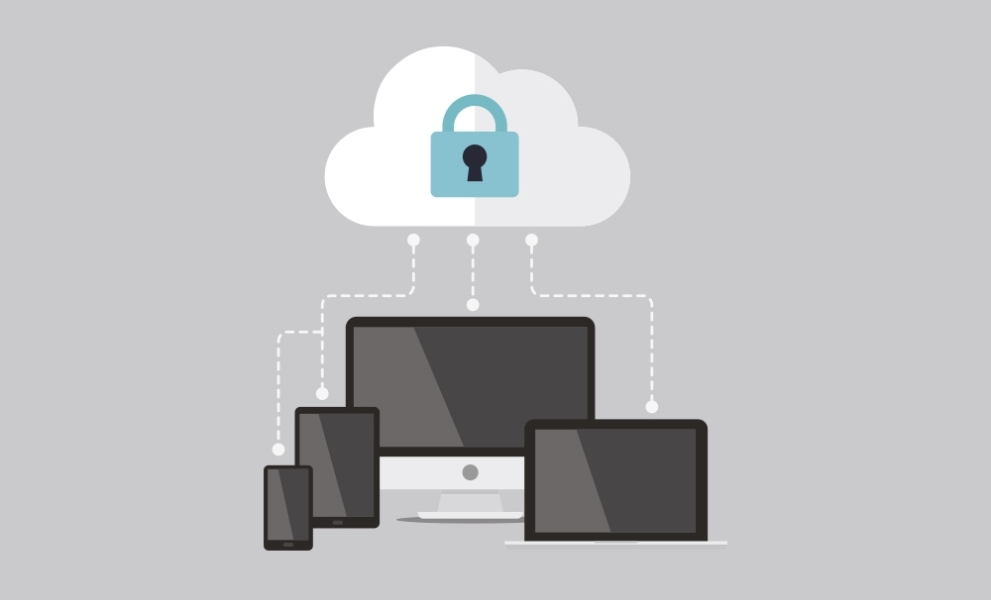
Security is always at the forefront of Sharp’s innovative technology. With Microsoft® Azure, Microsoft® 365, Google Workspace™ technologies and Sharp’s security best practices, Synappx applications and services are protected by layered security. Plus, your documents are always protected, with features that prevent them from being left unattended or from leaving your network. To learn more about Synappx security, download our security white paper.
Download Synappx Cloud Capture

Synappx™ Support
For further help and advice regarding any of our Synappx products including User and Admin Guides, System Requirement Guides and FAQs, please visit our support area.
